maandag, januari 30, 2006
Nokia 770 OSGi
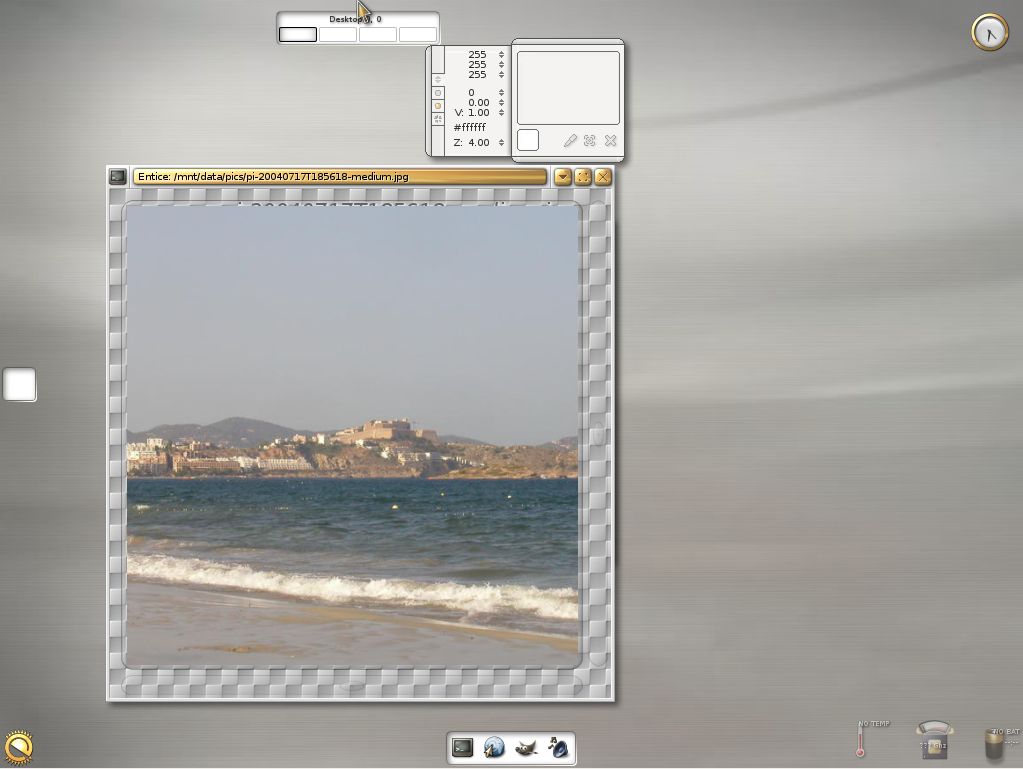
These screenshots show a Nokia 770 with the Oscar OSGi implementation running on top of the JamVM Java virtual machine and GNU Classpath classlibraries.


maandag, januari 23, 2006
Transcoding video for the K750i
This works fine for me:
ffmpeg -i sourcevideo.avi -s qcif -b 256 -acodec aac -ab 128 -ac 2 targetvideo.mp4
ffmpeg -i sourcevideo.avi -s qcif -vcodec mpeg4 -acodec aac -r 20 -b 192 -ab 96 -ac 2 -ar 44100 targetvideo.mp4
ffmpeg -i sourcevideo.avi -s qcif -b 256 -acodec aac -ab 128 -ac 2 targetvideo.mp4
ffmpeg -i sourcevideo.avi -s qcif -vcodec mpeg4 -acodec aac -r 20 -b 192 -ab 96 -ac 2 -ar 44100 targetvideo.mp4
donderdag, januari 19, 2006
Ubuntu Breezy bug
woensdag, januari 18, 2006
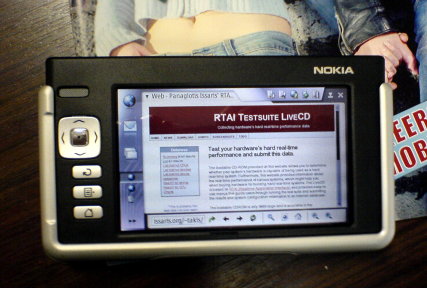
Nokia 770
I have been playing with the ultra-cool Nokia 770! :)
Here's a pic of my RTAI LiveCD website rendered with the browser on the device (Opera).
maandag, januari 16, 2006
Repository moved
Due to unstability of the server that previously hosted my repository, I've moved my Ubuntu Breezy repository. The new line to add to your /etc/apt/sources.list would be:
deb http://alpha.uhasselt.be/takis.issaris/breezy/ ./
vrijdag, januari 13, 2006
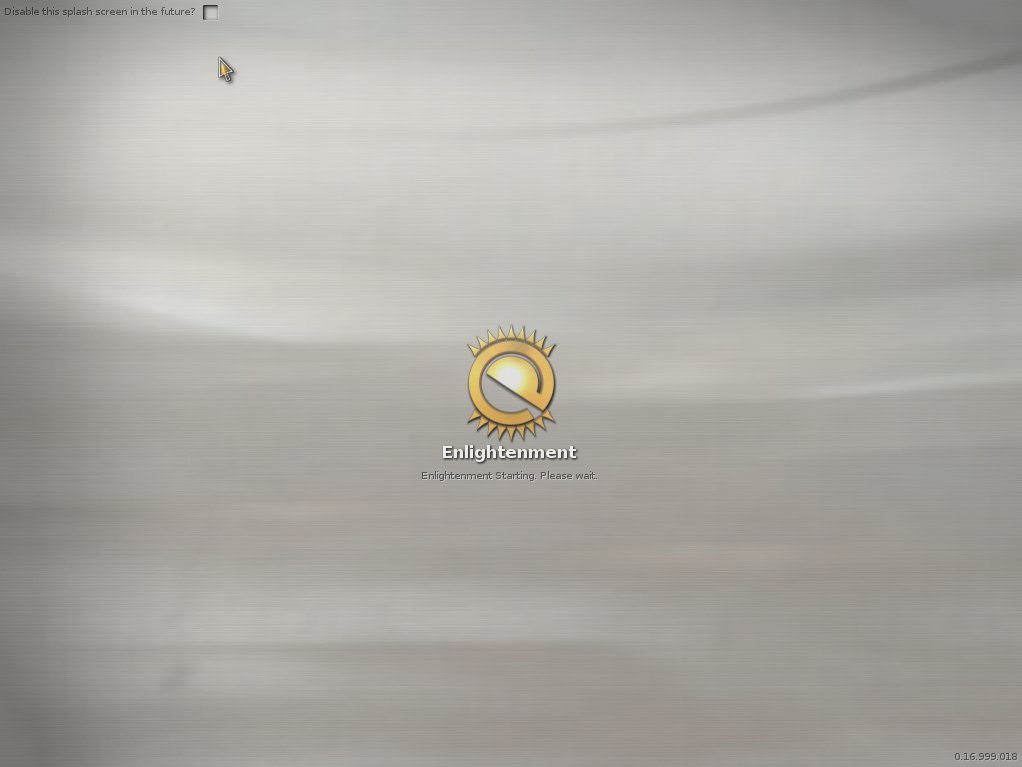
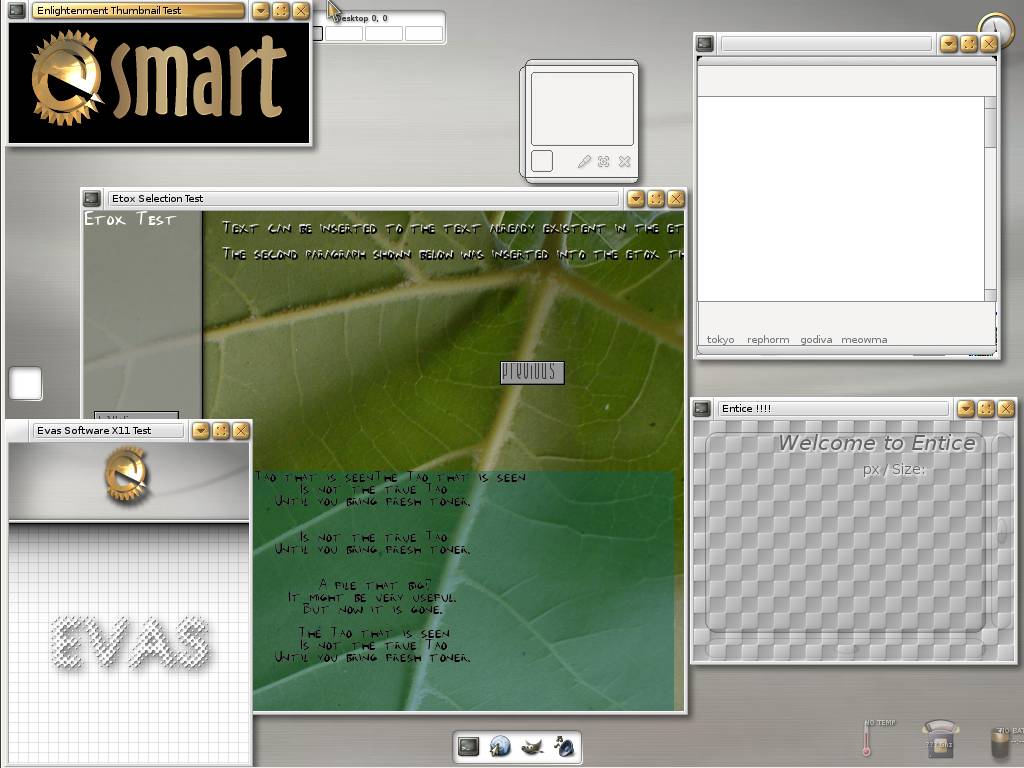
E17 screenshots
GIT CVS import Ubuntu Breezy package
Added a cvsps 2.1 package to the repository as Ubuntu Breezy still ships with 2.0rc1. Version 2.1 is needed for GIT's CVS import functionality.
woensdag, januari 11, 2006
UM Linux HOWTO
This is a short howto, explaining how to setup User Mode Linux for simple Linux kernel module development and experimentation. I'm using the current Linux kernel 2.6.15 version (actually, todays GIT tree :) )
I like to keep my filesystem structure nice and clean, which is why I tend to use multiple partitions and directories for separate things. I've got a /usr/local/src directory which contains the linux-2.6 subdirectory contains the Linux kernel sourcecode. All my builddirectories are stored in /mnt/build, and so the first thing to do is to create a new entry for the Linux 2.6 UML build:
mkdir /mnt/build/linux-2.6-um
Next, enter the Linux kernel sourcecode directory:
cd /usr/local/src/linux-2.6
We'll start from the default UML configuration file for the kernel:
cp arch/um/defconfig /mnt/build/linux-2.6-um/.config
Use the defaults from that default config file:
make oldconfig ARCH=um O=/mnt/build/linux-2.6-um/
In case there's anything you want to change in the configuration of the UML kernel, start
the configuration menu:
make menuconfig ARCH=um O=/mnt/build/linux-2.6-um/
Now, we're set to do the actual building of the kernel. This will take a while...
make ARCH=um O=/mnt/build/linux-2.6-uml/
We need a disk image for the UML kernel to use. So, we'll create one. There's many ways to do this, this is a rather simple one.
First create an empty file which will kind of represent a disk drive (or actually a partition on a diskdrive):
dd if=/dev/zero of=/usr/tmp/sarge.ext2 bs=1M count=500
Put a filesystem on this partition, ext2 is fine for such a simple development system:
mkfs.ext2 /usr/tmp/sarge.ext2
Mount the filesystem image using loopback:
mount /usr/tmp/sarge.ext2 /mnt/loop/ -o loop
Copy an existing Linux distribution in this mounted filesystem image:
cp -var /usr/chroots/sarge/* /mnt/loop/
Move into the mounted filesystem and create the needed device nodes for UML:
cd /mnt/loop/dev
./MAKEDEV ubd
Next we'll install the kernel modules into the mounted filesystem:
cd /usr/local/src/linux-2.6
make modules_install O=/mnt/build/linux-2.6-uml ARCH=um INSTALL_MOD_PATH=/mnt/loop/
And finally, umount the filesystem image:
umount /mnt/loop/
Make a link named root_fs to your new partition image:
cd /usr/tmp
ln sarge.ext2 root_fs
Start the new UML kernel (and in this case, skip the default initscripts to get a real quick boot):
/mnt/build/linux-2.6-uml/linux init=/bin/bash
On the host system, create a directory for sharing files with the guest:
mkdir /tmp/forguest
In the guest system, mount this:
mount none /tmp -t hostfs -o /tmp/forguest
Now, any file appearing on the host system in /tmp/forguest, will also appear within the guest system in the /tmp directory.
Write whatever kernelmodule code (which doesn't actually access hardware since we're using UML)
you want in the /tmp/forguest directory.
Execute the following command once:
make -C /mnt/build/linux-2.6-uml/ modules ARCH=um
Build the module with the following command:
make -C /mnt/build/linux-2.6-uml/ SUBDIRS=$(pwd) modules ARCH=um
From the guest system, load the kernel module using:
insmod ./mymodule.ko
Remove it with:
rmmod mymodule
That's it! :)
I like to keep my filesystem structure nice and clean, which is why I tend to use multiple partitions and directories for separate things. I've got a /usr/local/src directory which contains the linux-2.6 subdirectory contains the Linux kernel sourcecode. All my builddirectories are stored in /mnt/build, and so the first thing to do is to create a new entry for the Linux 2.6 UML build:
mkdir /mnt/build/linux-2.6-um
Next, enter the Linux kernel sourcecode directory:
cd /usr/local/src/linux-2.6
We'll start from the default UML configuration file for the kernel:
cp arch/um/defconfig /mnt/build/linux-2.6-um/.config
Use the defaults from that default config file:
make oldconfig ARCH=um O=/mnt/build/linux-2.6-um/
In case there's anything you want to change in the configuration of the UML kernel, start
the configuration menu:
make menuconfig ARCH=um O=/mnt/build/linux-2.6-um/
Now, we're set to do the actual building of the kernel. This will take a while...
make ARCH=um O=/mnt/build/linux-2.6-uml/
We need a disk image for the UML kernel to use. So, we'll create one. There's many ways to do this, this is a rather simple one.
First create an empty file which will kind of represent a disk drive (or actually a partition on a diskdrive):
dd if=/dev/zero of=/usr/tmp/sarge.ext2 bs=1M count=500
Put a filesystem on this partition, ext2 is fine for such a simple development system:
mkfs.ext2 /usr/tmp/sarge.ext2
Mount the filesystem image using loopback:
mount /usr/tmp/sarge.ext2 /mnt/loop/ -o loop
Copy an existing Linux distribution in this mounted filesystem image:
cp -var /usr/chroots/sarge/* /mnt/loop/
Move into the mounted filesystem and create the needed device nodes for UML:
cd /mnt/loop/dev
./MAKEDEV ubd
Next we'll install the kernel modules into the mounted filesystem:
cd /usr/local/src/linux-2.6
make modules_install O=/mnt/build/linux-2.6-uml ARCH=um INSTALL_MOD_PATH=/mnt/loop/
And finally, umount the filesystem image:
umount /mnt/loop/
Make a link named root_fs to your new partition image:
cd /usr/tmp
ln sarge.ext2 root_fs
Start the new UML kernel (and in this case, skip the default initscripts to get a real quick boot):
/mnt/build/linux-2.6-uml/linux init=/bin/bash
On the host system, create a directory for sharing files with the guest:
mkdir /tmp/forguest
In the guest system, mount this:
mount none /tmp -t hostfs -o /tmp/forguest
Now, any file appearing on the host system in /tmp/forguest, will also appear within the guest system in the /tmp directory.
Write whatever kernelmodule code (which doesn't actually access hardware since we're using UML)
you want in the /tmp/forguest directory.
Execute the following command once:
make -C /mnt/build/linux-2.6-uml/ modules ARCH=um
Build the module with the following command:
make -C /mnt/build/linux-2.6-uml/ SUBDIRS=$(pwd) modules ARCH=um
From the guest system, load the kernel module using:
insmod ./mymodule.ko
Remove it with:
rmmod mymodule
That's it! :)
dinsdag, januari 03, 2006
Linux 2.6.15 released!
Fifteen years after Linus Torvalds bought the machine which got Linux started, version 2.6.15 of his kernel has been released! :)
Added an Ubuntu Breezy image to my repository. Compiled for 686, with the default 686 ubuntu kernel configuration (thus most modules/drivers are available).
And, as I'm using an NVIDIA card here, I've added the NVIDIA kernel driver package too. It's not the current NVIDIA version, but the version included in Ubuntu Breezy (7667) recompiled for the above kernel.
Linux 2.6.15 Breezy kernel package
NVIDIA 7667 driver for the above 2.6.15 Breezy kernel
Added an Ubuntu Breezy image to my repository. Compiled for 686, with the default 686 ubuntu kernel configuration (thus most modules/drivers are available).
And, as I'm using an NVIDIA card here, I've added the NVIDIA kernel driver package too. It's not the current NVIDIA version, but the version included in Ubuntu Breezy (7667) recompiled for the above kernel.
Linux 2.6.15 Breezy kernel package
NVIDIA 7667 driver for the above 2.6.15 Breezy kernel
dinsdag, december 20, 2005
A quick glance at E17
Those interested in having a look at E17 but not willing to actually start using it, can use the following command to see E17 in a nice little window:
Xnest -ac :1 | enlightenment -display :1
You need to have the xnest package installed or you can install the xserver-xephyr package and use:
Xephyr -ac :1 | enlightenment -display :1
Totally OT: Qemu 0.8.0 is available now! Lots of new features! :-)
Xnest -ac :1 | enlightenment -display :1
You need to have the xnest package installed or you can install the xserver-xephyr package and use:
Xephyr -ac :1 | enlightenment -display :1
Totally OT: Qemu 0.8.0 is available now! Lots of new features! :-)
MPlayer and accompanying browser plugin
I've added MPlayer and Mplayerplug-in Debian packages to my Ubuntu Breezy repository. They are current snapshots of the CVS repositories. MPlayer can play nearly all audio and video files you can find, and the accompanying plugin makes those playable from within your browser.
apt-get install mplayerplugin
vrijdag, december 16, 2005
Libjingle and E17
Google introduced a new project called Jingle earlier today. I just added Ubuntu Breezy packages of this new stuff to my repository.
Furthermore, I added E17 CVS packages. These should be built automatically using a cronjob.
All goodies available here:
deb http://lumumba.uhasselt.be/takis/breezy ./
Furthermore, I added E17 CVS packages. These should be built automatically using a cronjob.
All goodies available here:
deb http://lumumba.uhasselt.be/takis/breezy ./
woensdag, december 07, 2005
More Debian packages
I've added more packages to my Ubuntu Breezy repository. Besides snapshots of the standard GIT tools and Cogito, I've added qgit, JRTPLib, UIML.Net, Cassowary.Net, XMLRPC for C#, and the WxWidgets .Net bindings.
GIT world domination
The Wine project has just started using GIT! This is the second large/huge project using Linus' Torvalds version control system.
What's incredibly neat is that they've put up the entire project history into the repository starting from 1993! Have a look over here at the webinterface.
The Wine people have put up a Wine GIT Wiki to get people started using GIT. For those interested in using GIT, Jeff Garzik's GIT HOWTO makes an interesting read.
In related GIT news: Artem Khodush wrote a webbased GIT browser.
What's incredibly neat is that they've put up the entire project history into the repository starting from 1993! Have a look over here at the webinterface.
The Wine people have put up a Wine GIT Wiki to get people started using GIT. For those interested in using GIT, Jeff Garzik's GIT HOWTO makes an interesting read.
In related GIT news: Artem Khodush wrote a webbased GIT browser.
maandag, december 05, 2005
GIT and Cogito snapshots
I've made some GIT and Cogito snapshots available for Ubunty Breezy. The packages are created from a script invoked by cron, daily.
deb http://lumumba.uhasselt.be/takis/breezy ./
woensdag, november 09, 2005

The 28th of October me and my girlfriend went for a walk in the woods. There are lots of markings in the woods, of different colours representing different routes. The idea was to take a route which would be about 5km and we should complete it in an hour or so. So, we took the orange route, which was 5.5km. Three and a half hours later we finally got out of the forrest... :-) Some kids had apparantly moved some of the markings...
dinsdag, november 08, 2005
CVS to GIT and back
The first step is to import a CVS tree into GIT:
We will not make any modifications to the project in that directory, this directory is purely intended to be a GIT conversion of the CVS repository. Instead, we'll create a clone of that archive and do our hackery in there:
The "l" flag makes sure that git uses hard links instead of copying files, if possible.
Next, we'll make some modifications to the project and commit them using git-commit or cg-commit. As said earlier, we'll make those modifications in the foobar-pi.git directory:
If new changes are committed in the CVS repository, we need to fetch those in our foobar.git repository, which is kind of a GIT mirror of the online CVS repository.
Now, we'll pull in the CVS-commits to the clone directory.
This results in a way to have a nice GIT repository of a project being hosted using CVS. Your GIT repository makes it easy to view changes in the project as you've got the full history locally on your system.
To prepare you modifications to be send as a patch, do the following:
This will give you a set of files, containing patches, which you can post to a mailinglist or maintainer.
If you've got write access to the CVS-repository, you probably want to commit these patches back into the CVS yourself. To do this, checkout the CVS repository somewhere on your filesystem:
Get into the CVS working directory, and set the environment variable GIT_DIR to point to the .git directory within your git directory:
View the GIT-logs and select which commits you want to push into the CVS-repository:
Copy and paste the commit-identifier (being an SHA1-hash) and use it as a parameter to git-cvsexportcommit:
Do not forget to unset the GIT_DIR environment variable!
This will output:
Repeat the command shown above:
The patch which you wrote and committed in your clone GIT tree, is now committed back into the CVS repository.
Now, you can resync your GIT-CVS mirror tree:
Now, your patches which you committed in the CVS repository, will be pulled back into the GIT-tree which acts as a mirror of the CVS-repository.
Now, you'll want to merge this back into your GIT-clone tree, which is where you do your actual work:
Now, you've come full circle. You patches which were initially committed in foobar-pi.git, were committed to the CVS tree, and pulled back into the mirror GIT tree (foobar.git) and finally back into your clone/working GIT tree (foobar-pi.git). Ofcourse your patches were already in foobar-pi.git and GIT will notice this.
mkdir foobar.git
cd foobar.git
git-cvsimport -p x -v -d :ext:takis@cvs.sourceforge.net:/cvsroot/someproject foobar
We will not make any modifications to the project in that directory, this directory is purely intended to be a GIT conversion of the CVS repository. Instead, we'll create a clone of that archive and do our hackery in there:
git clone -l foobar.git/ foobar-pi.git/
The "l" flag makes sure that git uses hard links instead of copying files, if possible.
Next, we'll make some modifications to the project and commit them using git-commit or cg-commit. As said earlier, we'll make those modifications in the foobar-pi.git directory:
cd foobar-pi.git
... do stuff ...
cg-commit
If new changes are committed in the CVS repository, we need to fetch those in our foobar.git repository, which is kind of a GIT mirror of the online CVS repository.
cd foobar.git
git-cvsimport -p x -v -d :ext:takis@cvs.sourceforge.net:/cvsroot/someproject foobar
Now, we'll pull in the CVS-commits to the clone directory.
cd foobar-pi.git
git pull
This results in a way to have a nice GIT repository of a project being hosted using CVS. Your GIT repository makes it easy to view changes in the project as you've got the full history locally on your system.
To prepare you modifications to be send as a patch, do the following:
git-format-patch origin..HEAD
This will give you a set of files, containing patches, which you can post to a mailinglist or maintainer.
If you've got write access to the CVS-repository, you probably want to commit these patches back into the CVS yourself. To do this, checkout the CVS repository somewhere on your filesystem:
export CVS_RSH=ssh
...
Get into the CVS working directory, and set the environment variable GIT_DIR to point to the .git directory within your git directory:
export GIT_DIR=/usr/local/src/foobar-pi.git/.git/
View the GIT-logs and select which commits you want to push into the CVS-repository:
git-log
Copy and paste the commit-identifier (being an SHA1-hash) and use it as a parameter to git-cvsexportcommit:
git-cvsexportcommit 4a20cbafdf25a141b31a8333284a332d1a4d6072
unset GIT_DIR
Do not forget to unset the GIT_DIR environment variable!
This will output:
$VAR1 = '4a20cbafdf25a141b31a8333284a332d1a4d6072';
...
Ready for you to commit, just run:
cvs commit -F .msg Uiml/uiml.net.build
Repeat the command shown above:
cvs commit -F .msg Uiml/uiml.net.build
The patch which you wrote and committed in your clone GIT tree, is now committed back into the CVS repository.
Now, you can resync your GIT-CVS mirror tree:
cd foobar.git
git-cvsimport -p x -v -d :ext:takis@cvs.sourceforge.net:/cvsroot/someproject foobar
Now, your patches which you committed in the CVS repository, will be pulled back into the GIT-tree which acts as a mirror of the CVS-repository.
Now, you'll want to merge this back into your GIT-clone tree, which is where you do your actual work:
cd foobar-pi.git
git pull
Now, you've come full circle. You patches which were initially committed in foobar-pi.git, were committed to the CVS tree, and pulled back into the mirror GIT tree (foobar.git) and finally back into your clone/working GIT tree (foobar-pi.git). Ofcourse your patches were already in foobar-pi.git and GIT will notice this.
Oneway CVS to GIT
The first step is to import a CVS tree into GIT:
We will not make any modifications to the project in that directory, this directory is purely intended to be a GIT conversion of the CVS repository. Instead, we'll create a clone of that archive and do our hackery in there:
The "l" flag makes sure that git uses hard links instead of copying files, if possible.
Next, we'll make some modifications to the project and commit them using git-commit or cg-commit. As said earlier, we'll make those modifications in the foobar-pi.git directory:
If new changes are committed in the CVS repository, we need to fetch those in our foobar.git repository, which is kind of a GIT mirror of the online CVS repository.
Now, we'll pull in the CVS-commits to the clone directory.
This results in a way to have a nice GIT repository of a project being hosted using CVS. Your GIT repository makes it easy to view changes in the project as you've got the full history locally on your system.
To prepare you modifications to be send as a patch, do the following:
This will give you a set of files, containing patches, which you can post to a mailinglist or maintainer.
mkdir foobar.git
cd foobar.git
git-cvsimport -p x -v -d :ext:takis@cvs.sourceforge.net:/cvsroot/someproject foobar
We will not make any modifications to the project in that directory, this directory is purely intended to be a GIT conversion of the CVS repository. Instead, we'll create a clone of that archive and do our hackery in there:
git clone -l foobar.git/ foobar-pi.git/
The "l" flag makes sure that git uses hard links instead of copying files, if possible.
Next, we'll make some modifications to the project and commit them using git-commit or cg-commit. As said earlier, we'll make those modifications in the foobar-pi.git directory:
cd foobar-pi.git
... do stuff ...
cg-commit
If new changes are committed in the CVS repository, we need to fetch those in our foobar.git repository, which is kind of a GIT mirror of the online CVS repository.
cd foobar.git
git-cvsimport -p x -v -d :ext:takis@cvs.sourceforge.net:/cvsroot/someproject foobar
Now, we'll pull in the CVS-commits to the clone directory.
cd foobar-pi.git
git pull
This results in a way to have a nice GIT repository of a project being hosted using CVS. Your GIT repository makes it easy to view changes in the project as you've got the full history locally on your system.
To prepare you modifications to be send as a patch, do the following:
git-format-patch origin..HEAD
This will give you a set of files, containing patches, which you can post to a mailinglist or maintainer.
maandag, oktober 31, 2005
Patch author tracking
Some time after the SCO accusations that the Linux kernel would contain code owned by SCO, the Linux kernel people decided to setup a system for tracking the origin of patches. Unfortunately, this system isn't exactly faultproof. I've only submitted about 10 patches out of which three have been wrongly accredited. And because of GIT's use of hashes as identifiers, these mistakes do not get rectified.
Some time ago two patches of mine ended up in 2.6.11.5 stating someone else being the author. Now, I just noticed another patch of mine ended up somewhere in 2.6.x wrongly accrediting someone else.
Abonneren op:
Posts (Atom)